Internal communication has moved out of email for most teams and into a standalone chat service. That solved the original problem and created a new one: the conversation about the customer sits in one place and the customer in another, decisions are made in a thread, and the system meant to act on them knows nothing about them.
Conversations with colleagues, groups and agents
Chat in Corporate Panel has direct messages between users, groups, and conversations with your AI agents in the same place.
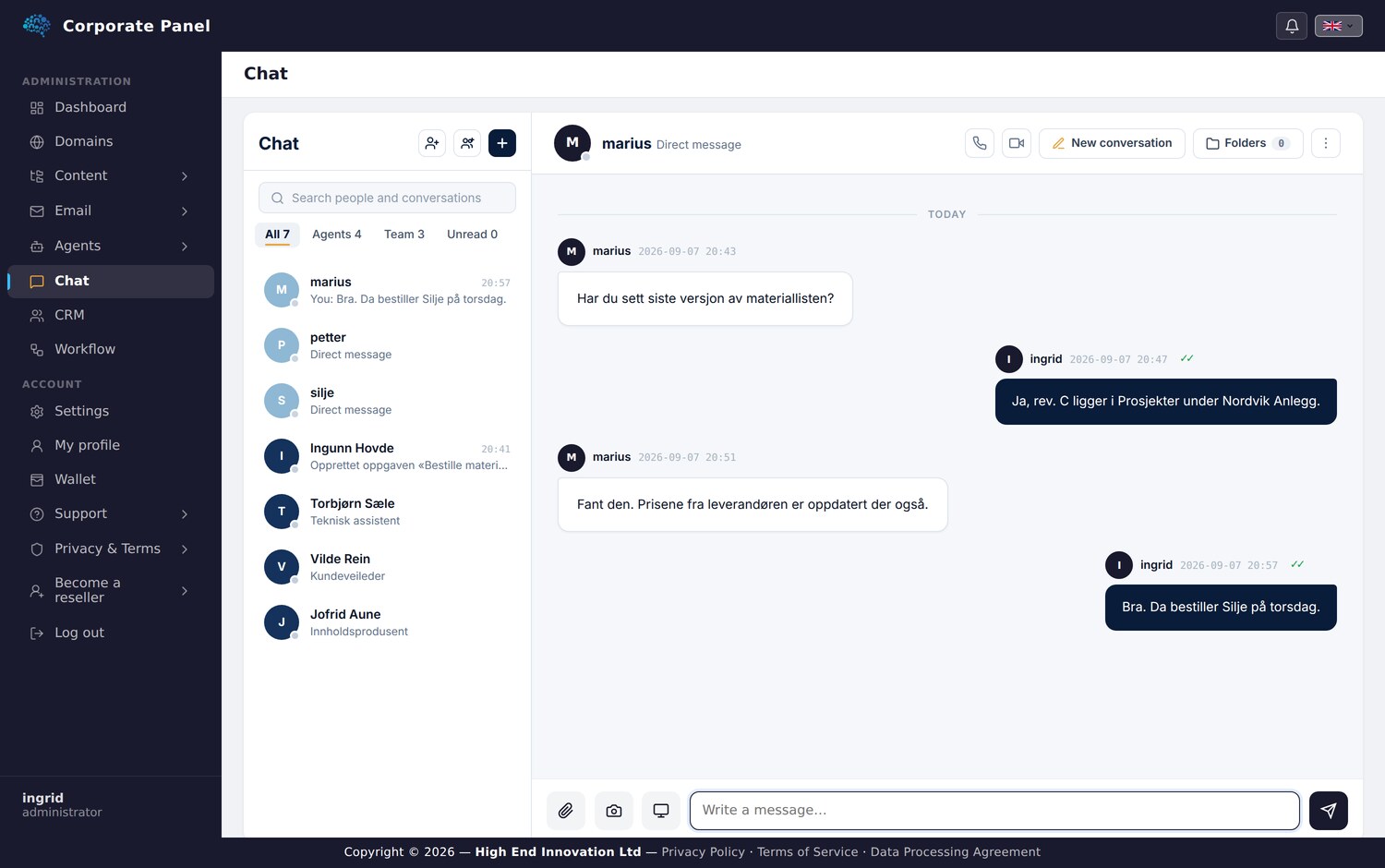
You can hold several threads with the same person, keeping “Nordvik contract” and “new laptop” apart. Conversations can be filed into folders you create yourself, per person or agent, with a project and one level beneath it.
The folders are private to you. Your structure has no effect on what your colleagues see.
Messages
You can reply to a single message, copy it, forward it, star it or delete it for yourself. Forwarding a message with an attachment carries the file itself.
Direct messages have read and delivered receipts, and colleagues who are signed in carry a presence dot.
Files
Files are attached with the paperclip, by drag and drop, or by pasting. You can also take a photo with the camera or capture a screenshot directly from the conversation. All of it goes through the same upload path, with the same quota checks and the same audit trail.
References to the work
Here is where this differs from a standalone chat service.
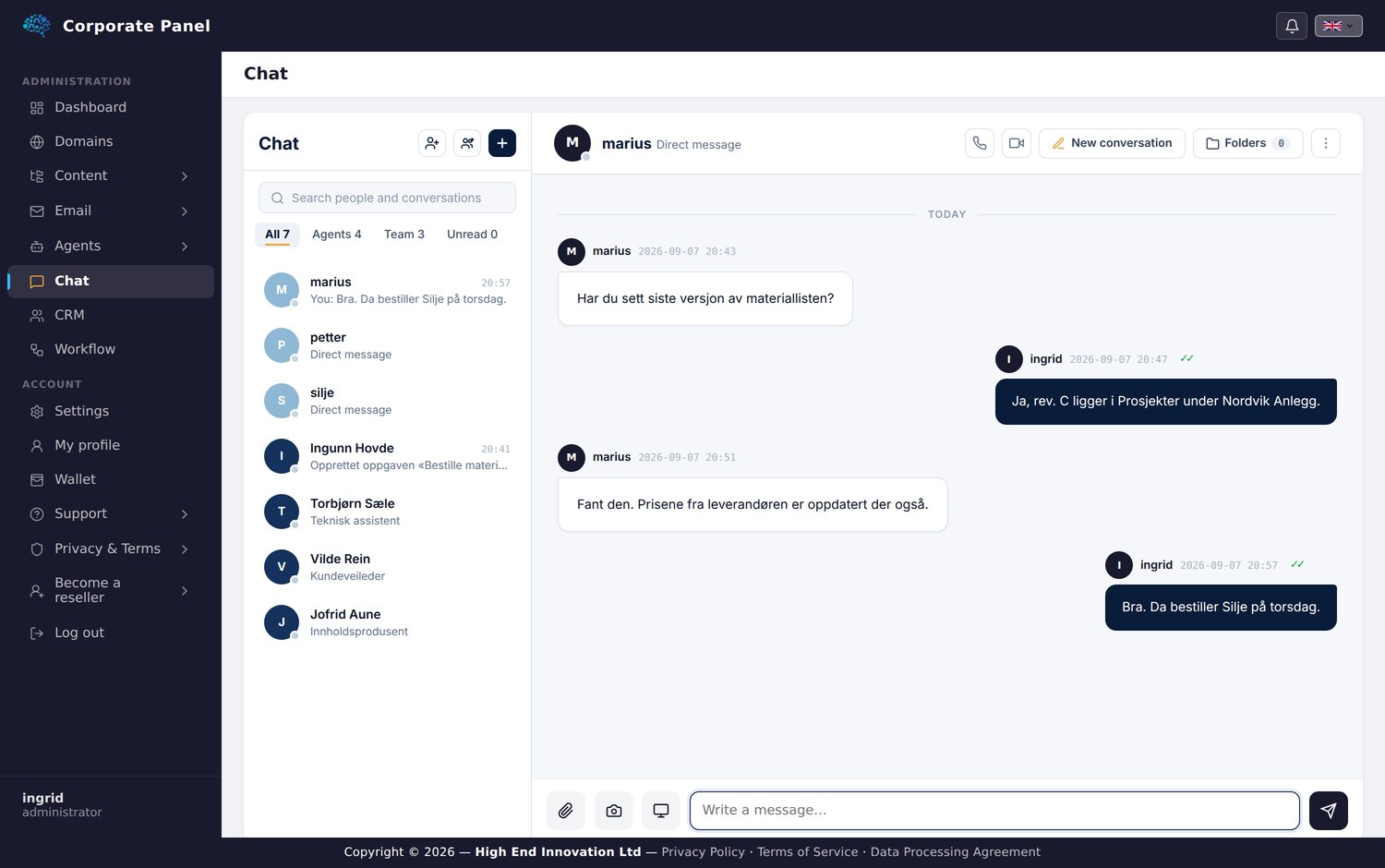
The paperclip lets you pin a reference to a task or document in Workflow Panel. The reference is a pointer that grants no access by itself, and whoever clicks it gets in only if the access rules allow. Those rules are evaluated again when the reference is opened.
The result is that the conversation about a piece of work points at that work, without anyone pasting a link that goes stale or an entire document into a message.
Voice, video and screen sharing
Chat has voice and video calls, one to one and in groups, with screen sharing. It runs in the browser with nothing to install. When it rings you see who is calling, and once connected you see who is speaking.
One limitation deserves stating plainly: a call in a browser does not survive you switching apps on your phone. The operating system suspends the page, and no website can override that. So we show a banner distinguishing “the call is alive, rejoin” from “the browser stopped it, call again”, instead of promising something the technology cannot deliver.
Isolation between businesses
Conversations are scoped to your own organisation. A user sees colleagues and agents within their own account, and the boundary is enforced in the data layer rather than only in the menu.
What you end up with
Context stays where the work is. A decision made in a conversation can become a task without anyone switching tabs, a document under discussion can be opened from the conversation, and the agents are available in the same place as the colleagues. That last point is usually what decides whether people adopt them at all.
This is the final article in the series on Corporate Panel. The first covered the problem the platform solves.