AI video with speech and lip sync, built scene by scene
Share:
Making one AI video goes quickly. The difficulty shows up when you need twenty that look like they came from the same business, with the same person in front of the camera and a voice that sounds like it belongs.
Scene by scene
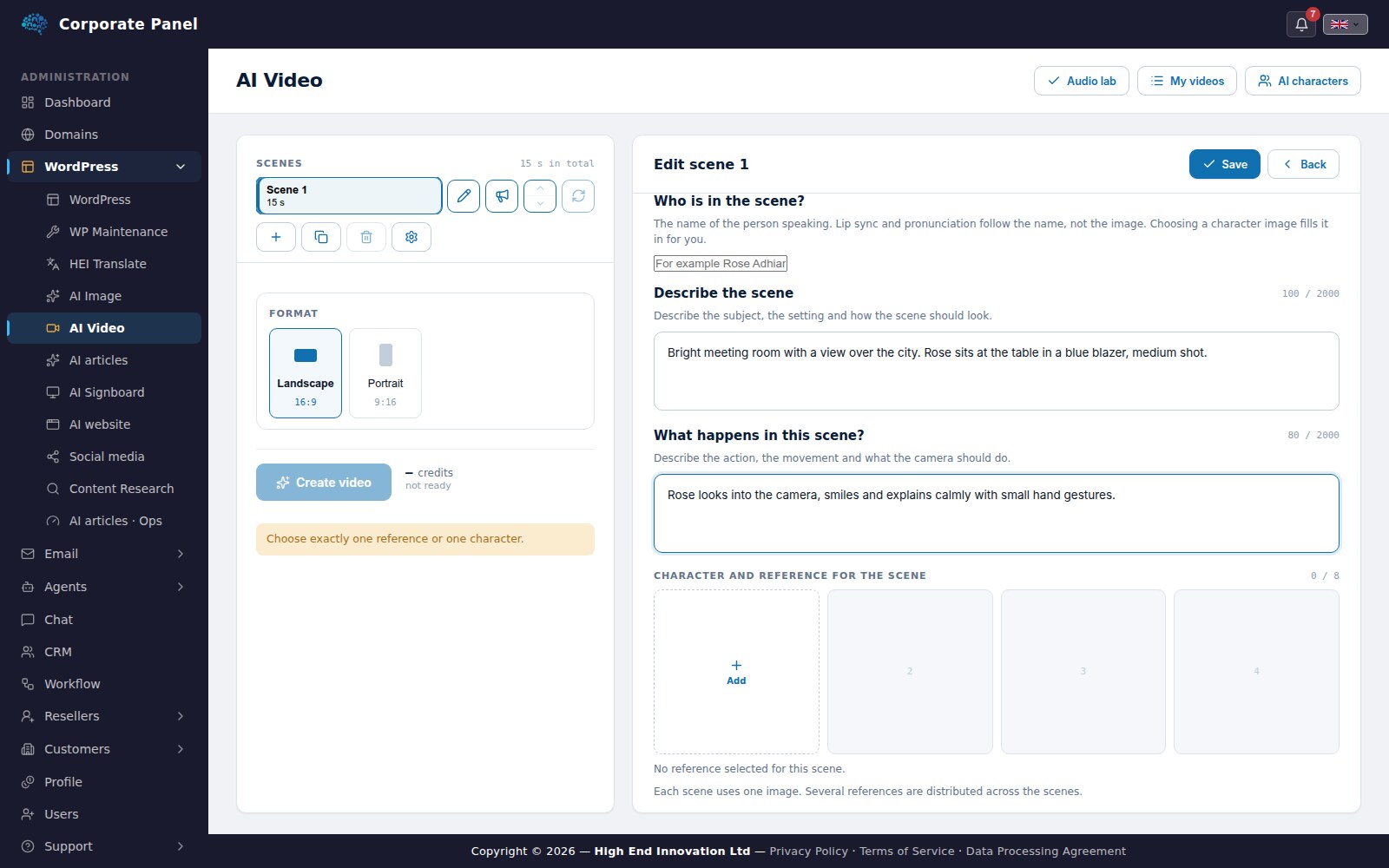
A video in AI Video is built from scenes. Each scene has its own description of how it should look, its own action and its own script. You write what is in the picture, what happens and what the person says, and choose how long the scene should be.
Each scene has its own description, action and character.
Scenes can be moved, duplicated and deleted. If one scene is not the way you wanted it, only that scene is made again. The others are kept as they are, and the video is put together again.
The same person every time
What makes a series of videos hang together is that the same person appears in them. That is why AI Video builds on a library of characters with fixed reference images. You choose the character for the scene, and the module uses the images as its starting point every time.
The libraries are private to each user. Another user can neither see, change nor use your characters.
Speech and lip sync
The script is read by a voice you choose, in English, Norwegian or French. Every voice has been listened to and approved before it can be used, and you can hear a sample before you decide. Pace and pauses can be adjusted where needed.
With lip sync the mouth follows the speech, so the person actually appears to say what is being said. Loudness is evened out between scenes, so a video made of several parts sounds like one.
While the video is being made
The video is made in the background, and you can follow how far it has come. You do not need to wait with the page open.
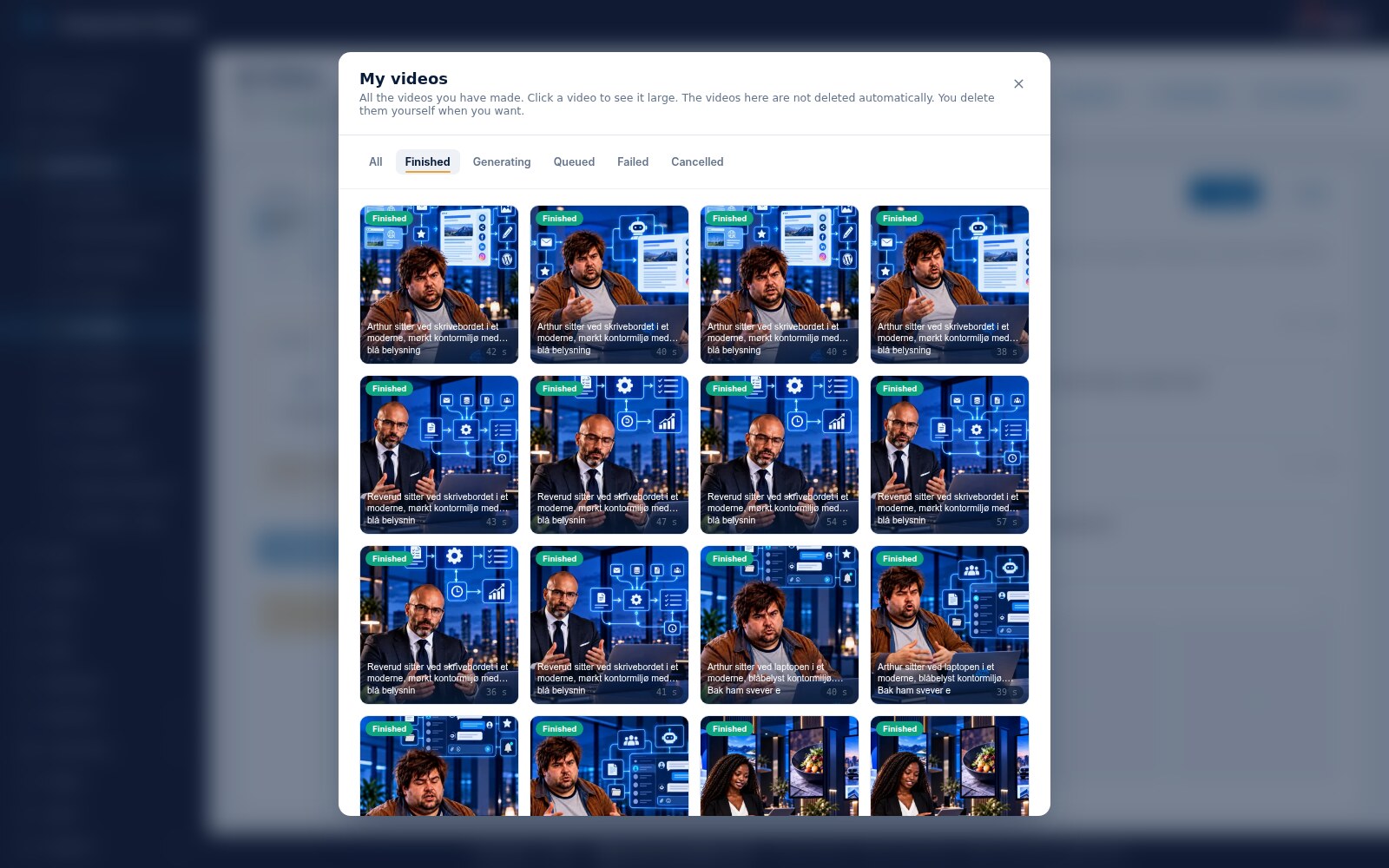
My videos
Finished videos are gathered in one place. They are not deleted automatically, and can be saved to the media archive with one click. From there they can be used directly in a presentation in AI Signboard.
Finished videos are gathered under My videos.
The format is chosen per video: landscape for screens and websites, portrait for mobile and social media.