Most small and medium businesses have a CRM. It is usually called Excel, and it lives on the laptop of whoever sells the most.
The arrangement holds until two people call the same customer, a quote expires with nobody following it up, or someone leaves and takes the overview with them.
Ten tabs, one view of the customer
CRM in Corporate Panel covers contacts, companies, leads, follow-up, quotes, finance, history, reporting and privacy, with a dashboard on top.
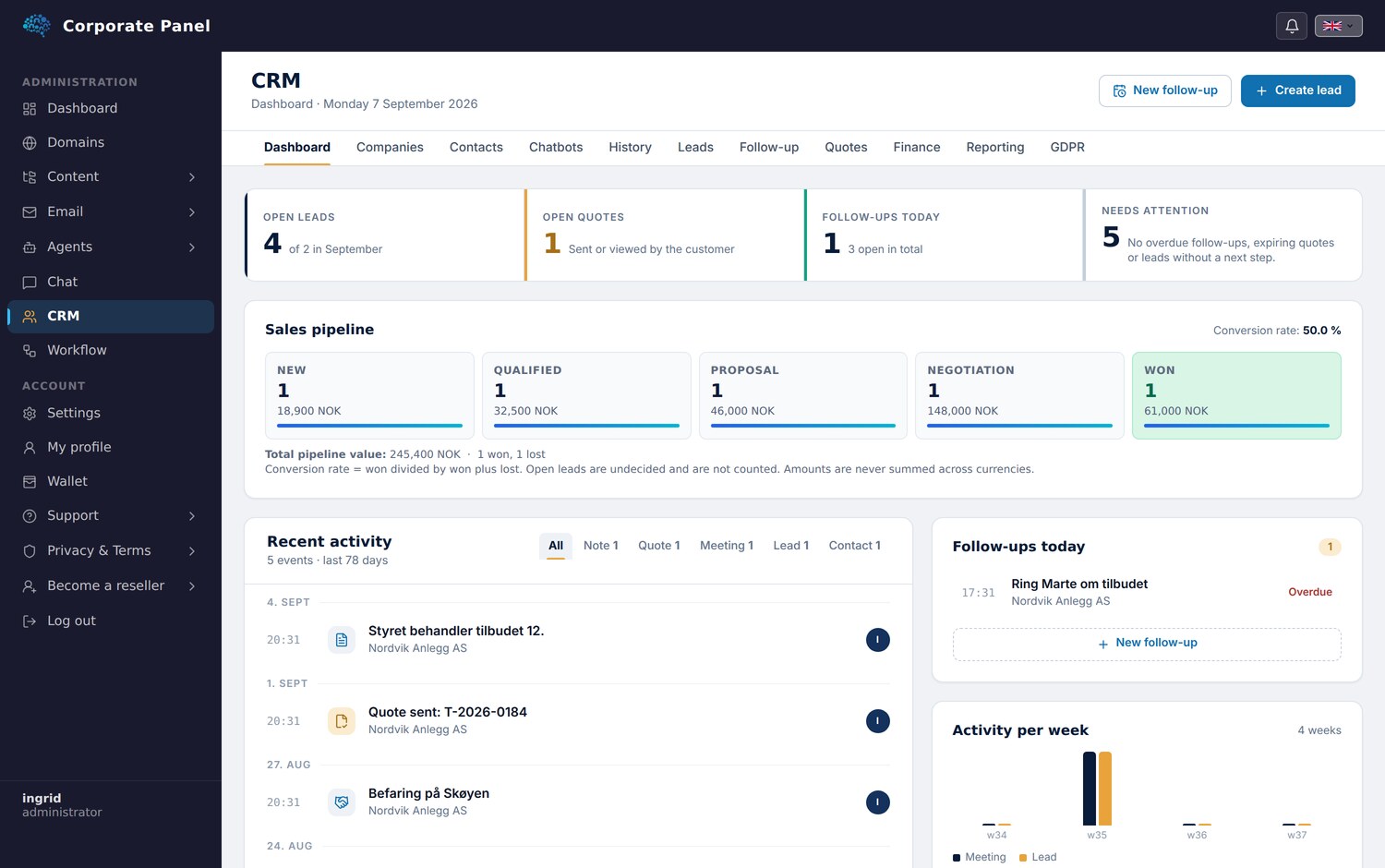
The tabs follow one sequence: someone makes contact, it becomes a lead, the lead becomes a quote, the quote becomes an invoice, and the invoice gets paid. Each tab is a station along the way.
Company as its own record
A company is its own record with its own data, and contacts, leads, quotes and invoices attach to it.
You can open a company and see who you talk to there, what is in play, what has been sent and what has been paid. A name change updates the contacts while leaving quotes and invoices that have already gone out untouched, so the history keeps the wording it had when it was sent.
Quotes that become invoices
A quote is built from lines, with a tax rate and a currency. The rate sits explicitly on the line, so it can be set correctly regardless of which country the customer is in.
The status flow carries rules. A draft cannot be answered before it has been sent, only a draft can be deleted, and expiry is calculated when you look at the quote rather than by an overnight job.
The quote downloads as a PDF with your own logo and details. If it is accepted it can become an invoice, and the invoice copies the amounts so it stands firm even if the quote changes later.
Paid is derived from the payments
Invoice status is calculated from the payments registered against it, rather than set with a checkbox.
Two things are refused: payment in a different currency from the invoice, and overpayment without explicit confirmation. The system asks once and leaves the decision to you.
Key figures are always shown per currency. We hold no exchange rates, so nothing is summed across them.
One clarification: these are your sales invoices to your customers, and registering payment is done manually.
History collected on the customer
The History tab shows all contact with the customer on one timeline: email in both directions from your own accounts, leads, quotes, invoices, follow-ups and notes.
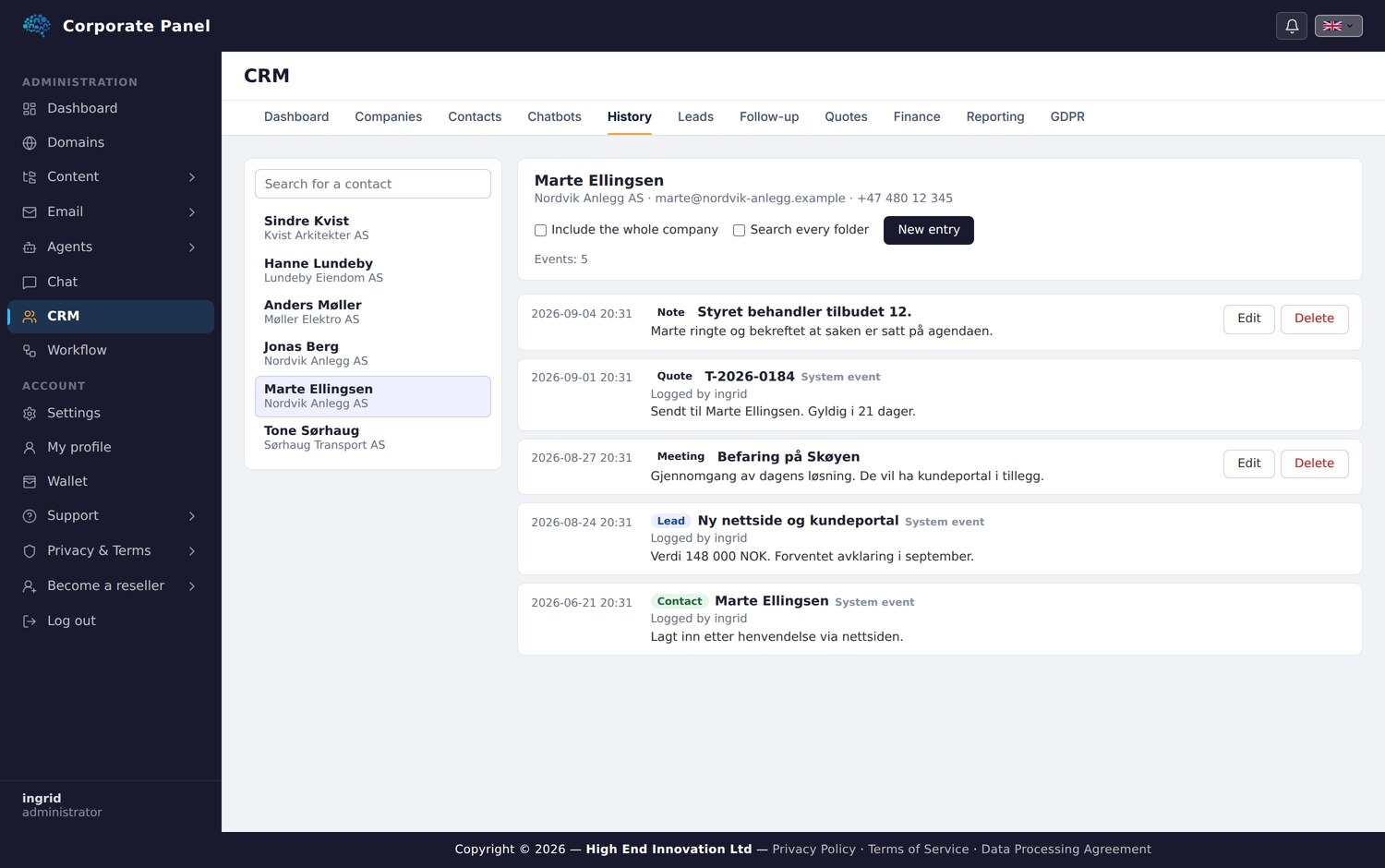
Email stays private per user. Open a contact a colleague shared with you and you see the customer’s sequence, while your colleague’s inbox stays where it belongs.
Reporting with the definitions on screen
Reporting calculates everything from the underlying data with no caching, and the definitions are written on the screen. Conversion is won divided by won plus lost. Invoiced excludes drafts and cancelled. Outstanding excludes credited.
Where the underlying data is missing, no chart is drawn. We hold no snapshots of the sales funnel over time, and the screen says why the curve is absent.
Privacy
The module carries a dedicated register for consent, legal basis and privacy requests, with export of a person’s data and controlled anonymisation.
Anonymisation clears the personal fields and keeps the row, so invoices and quotes are not orphaned. Unsubscribe takes precedence over everything else, and a consent recorded in CRM can never override a newsletter opt-out.
The tool supports privacy work without constituting a legal guarantee, and that is stated on the screen as well.
Next: tasks.