System sprawl rarely arrives as a decision. It accumulates over a few years, one tool at a time. The newsletter service was bought because somebody had to send an invitation. The customer spreadsheet appeared because a proper CRM looked oversized at the time. The chat app came along when email started to feel slow. Every purchase solved a real problem, and three years later the business is running a dozen logins with nobody holding the whole picture.
What fragmentation costs
Licences are the easy part to calculate, and usually the smallest line.
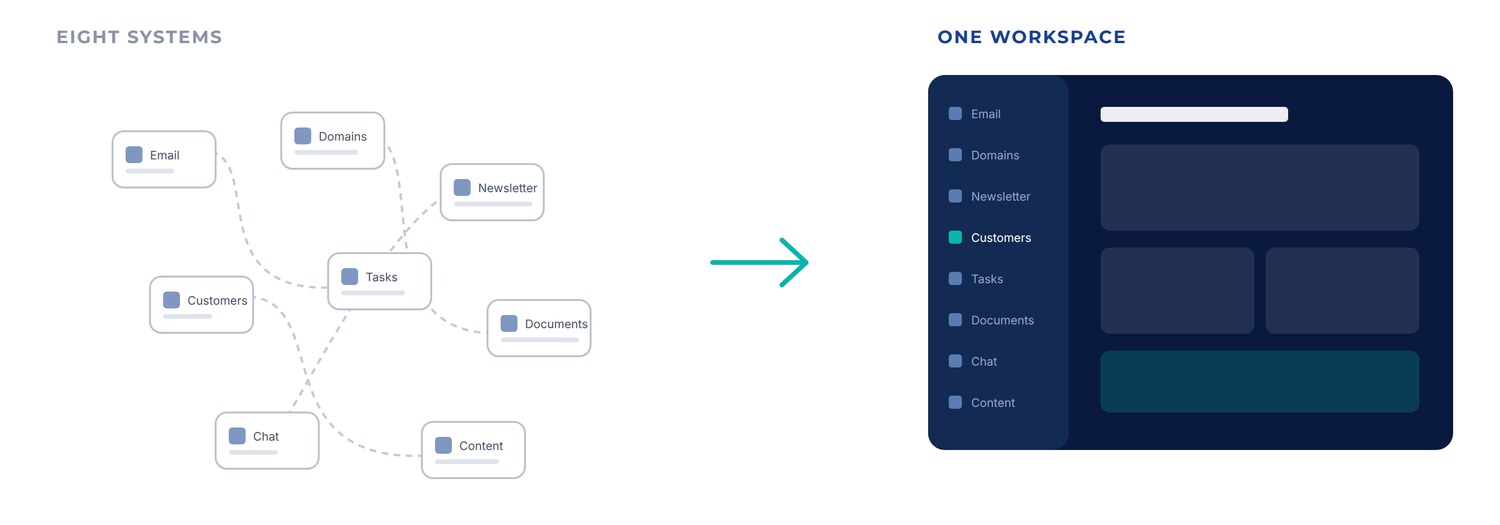
Lost context weighs more. The quote sits in one system, the customer in another, the follow-up task in a third, and the correspondence in an inbox only one person can open. Answering what actually happened with a customer means assembling the picture by hand, from someone who remembers. That takes time, and during holidays or after a resignation the knowledge simply leaves the building.
Administration adds to it. Everyone who leaves has to be removed from eight places, every new hire added to eight, and nobody can say precisely who has access to what.
Then there is the vendor side. Eight systems means eight invoices, eight data processing agreements, eight notice periods and eight parties to chase when something stalls.
What changes when the data is shared
Corporate Panel is built around modules that know about each other.
A lead in CRM can become a quote, the quote can become an invoice, and the whole sequence settles into the customer’s history without anyone entering it twice. A task can point at a document, and the document opens with the same login. A newsletter goes to lists you already hold, with no detour through an export file.
Individual functions will not always beat a specialist tool on its own ground. The value sits in the connections, and in having them available where the work actually happens.
What the platform covers
Corporate Panel covers domains and email, newsletters, customer follow-up, tasks, documents, internal chat, AI agents, content production and digital screen content. The document and task modules live in Workflow Panel and are reached with the same login.
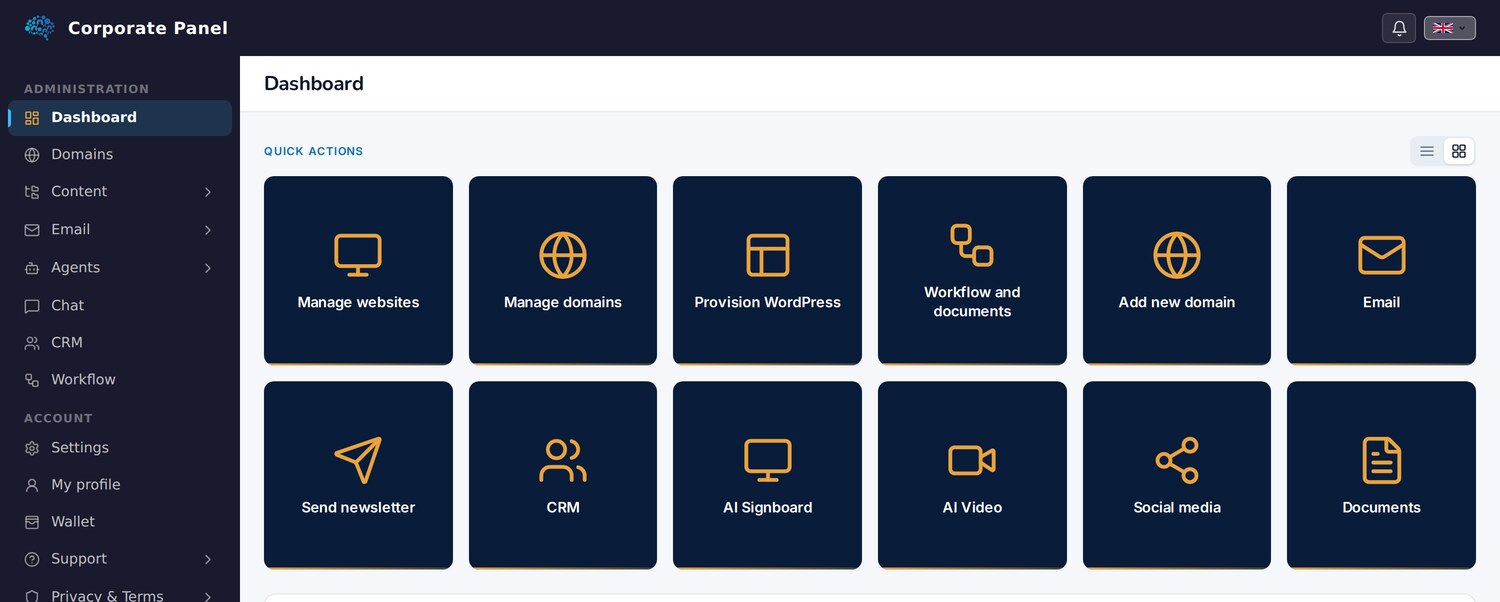
Modules can be adopted one at a time, and each one returns more once the others are in place.
Keeping what works
Corporate Panel does not set out to replace every tool a business uses. An accounting system that works, an industry application you depend on, or a design tool the team knows by heart should all stay where they are.
The aim is to remove the fragmentation that gives nothing back, the kind that appeared because nobody had time to look at the whole.
Where to start
Most people start where it hurts most. Sometimes that is the customer overview, sometimes that nobody knows who is doing what, and often that email and domains sit scattered across three providers.
There is no need to move everything at once. Move the first thing and see whether the rest gets easier. In practice each module you adopt makes the next one worth more.
This is the first article in a series on Corporate Panel. Next: domains and email.