Domains and email are the infrastructure nobody thinks about until something stops working. That is usually when it turns out the domain is registered in one place, DNS points somewhere else, and the mail sits with a third provider chosen five years ago by someone who no longer works here.
Your domains, with the state visible
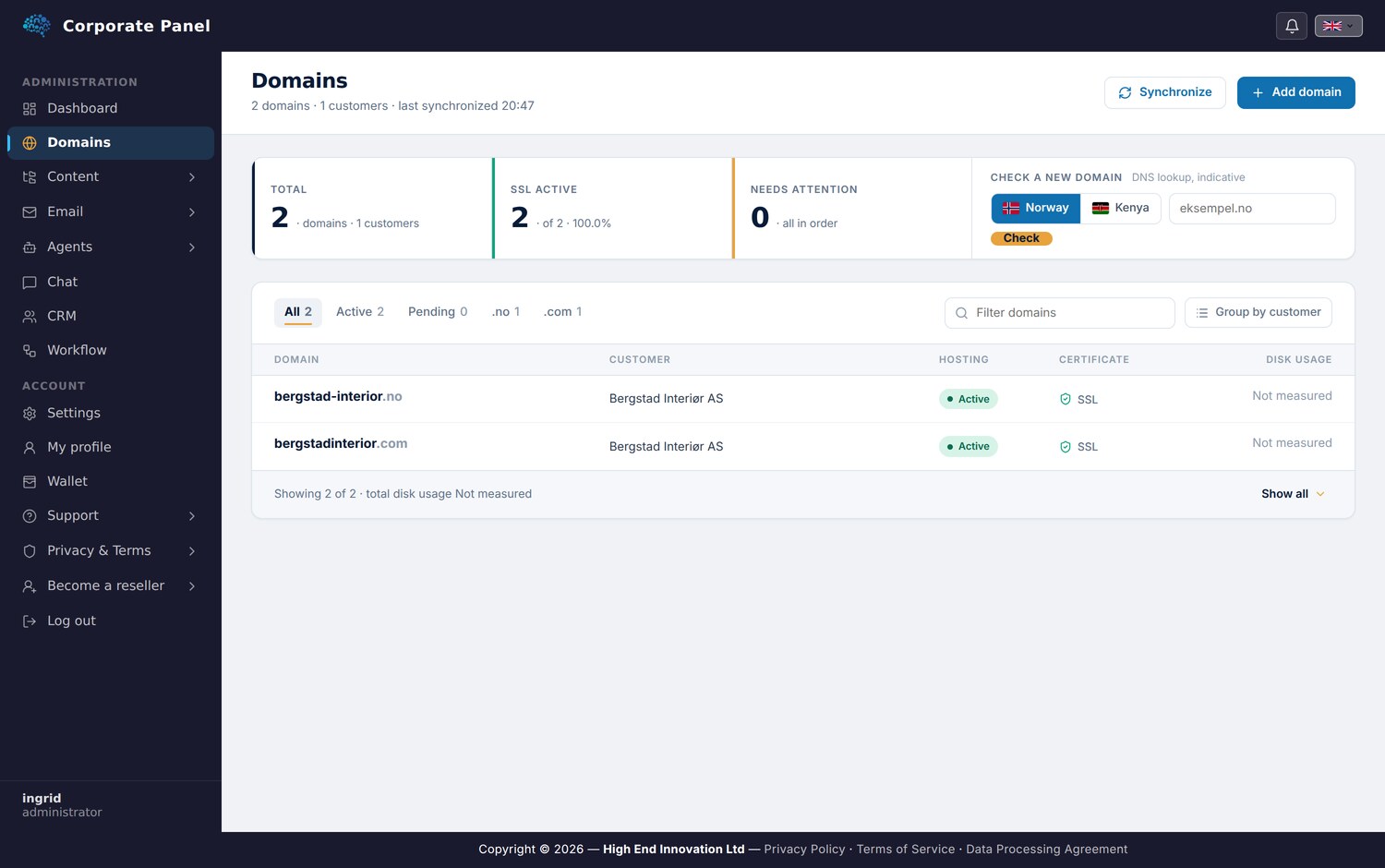
In Corporate Panel your domains appear in one list carrying what you need in order to act: whether hosting is active, whether the certificate is valid, which package applies, and how much space is in use.
DNS records are edited in the same place. Records appear in a table with type filtering and search, and a warning view surfaces anything that looks wrong. Changes save when you press save, so a half-finished value never reaches production.
That last point matters more than it might seem. One wrong MX record takes down email for the whole company, and plenty of DNS interfaces make that mistake far too easy to commit.
Mailboxes without detours
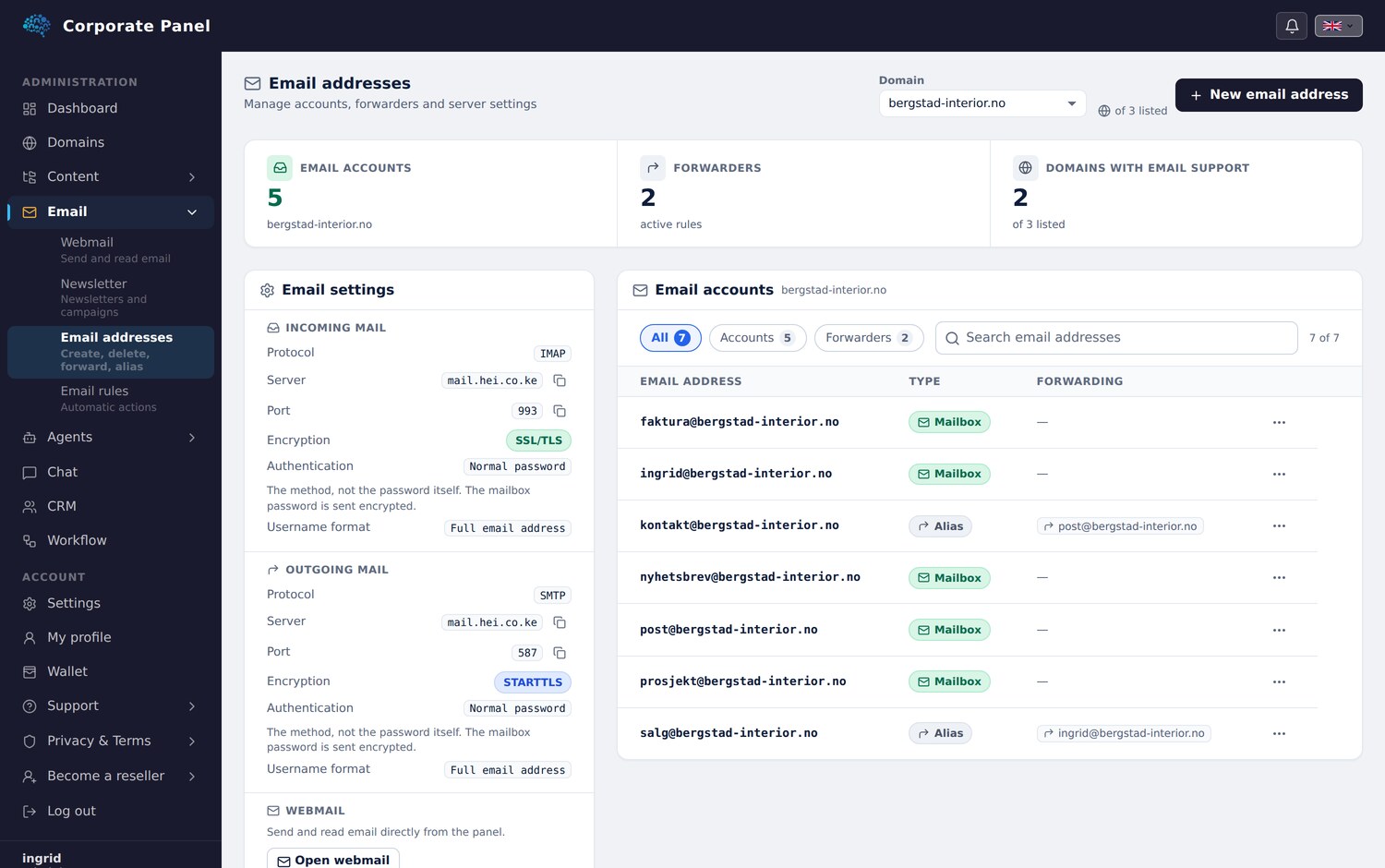
Email addresses are created, given new passwords and deleted from the same screen, with forwarders managed alongside them. You pick a domain at the top, and the list shows the accounts on that domain with their storage use.
For a business running several domains, which most acquire after a few years, this is the difference between thirty seconds of work and half an hour spent finding the login to a panel used three times a year.
Users and access
Sub-users let you create your colleagues and grant each of them access to exactly what they need. Domains, workflow and customer conversations are controlled separately.
Every login requires two-factor authentication, sub-users included.
When someone leaves, you deactivate one account in one place.
Email rules that tidy up for you
The panel also carries a rule engine for incoming mail. You define conditions and actions, and a background service applies them to your inbox: move to folder, archive, forward, optionally after a delay.
The rules run on the server whether or not your machine is on, and they can move mail between accounts you own. That gives them a reach the filters in your mail client do not have.
Why this belongs in the same platform
Domains and email could have been sold as a standalone product. They live here because the rest of the platform rests on them.
Newsletters go out from a mailbox you manage here. Landing pages publish to a domain you own here. CRM reads correspondence from the same inboxes. When something needs to reach the outside world, the sender identity is already in place.
The infrastructure sits at the bottom of the stack because everything else stands on it.
Next: newsletters. Previously: the problem the platform solves.