Documents have a habit of becoming homeless. The contract is an attachment buried in an email thread, the quote sits in the downloads folder of whoever wrote it, and the signed copy is a scan nobody can find again.
The document module lives in Workflow Panel and is reached with the same login as the rest of Corporate Panel.
An archive with structure
Documents sit in folders you define, with access control per document and per group. You create, edit and upload in the same place.
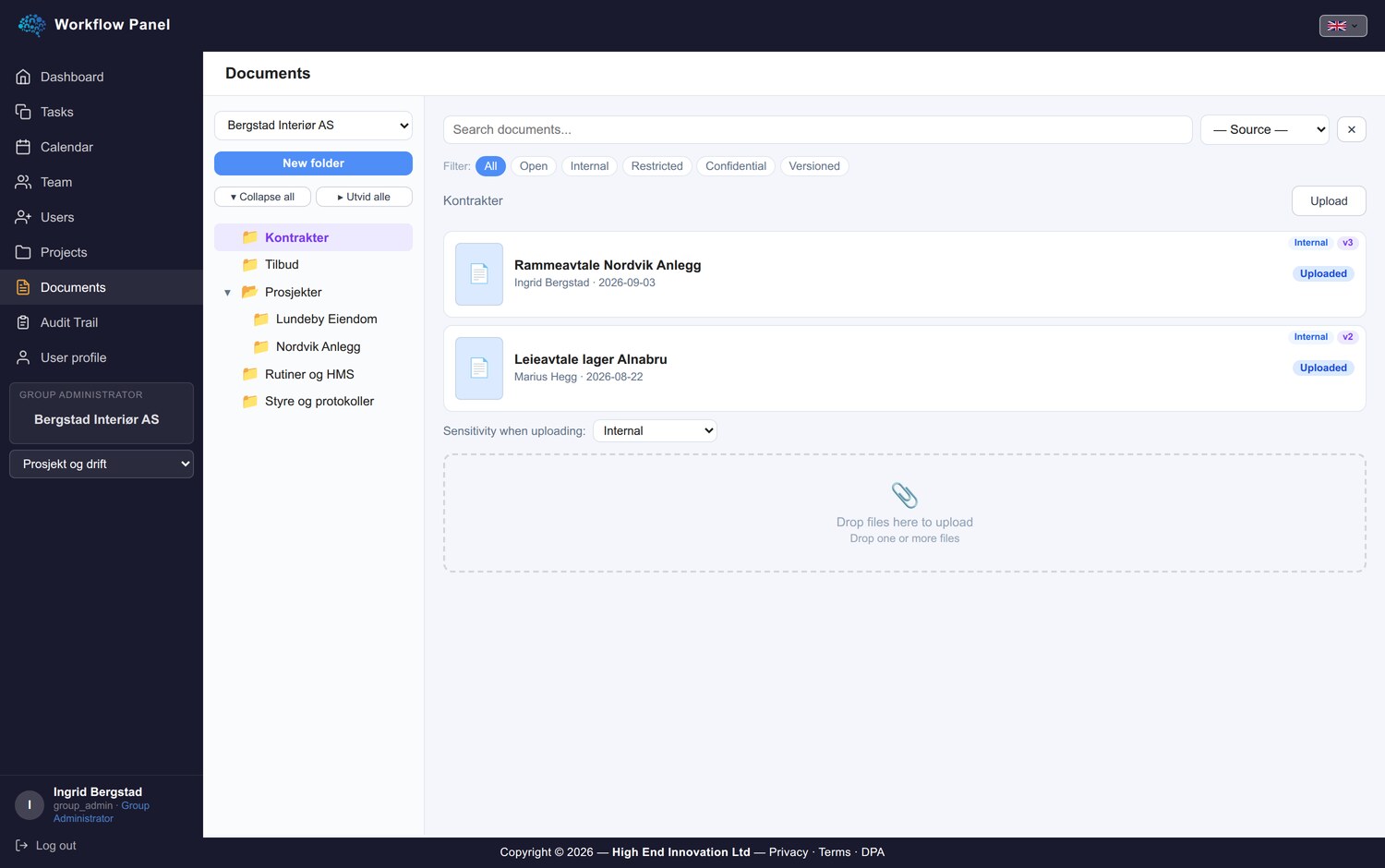
What separates an archive from a shared drive is that it knows something about the document: who owns it, who has seen it, and what has happened to it along the way.
Versions
Every save becomes a version. You can go back and see what was there before, and who changed it.
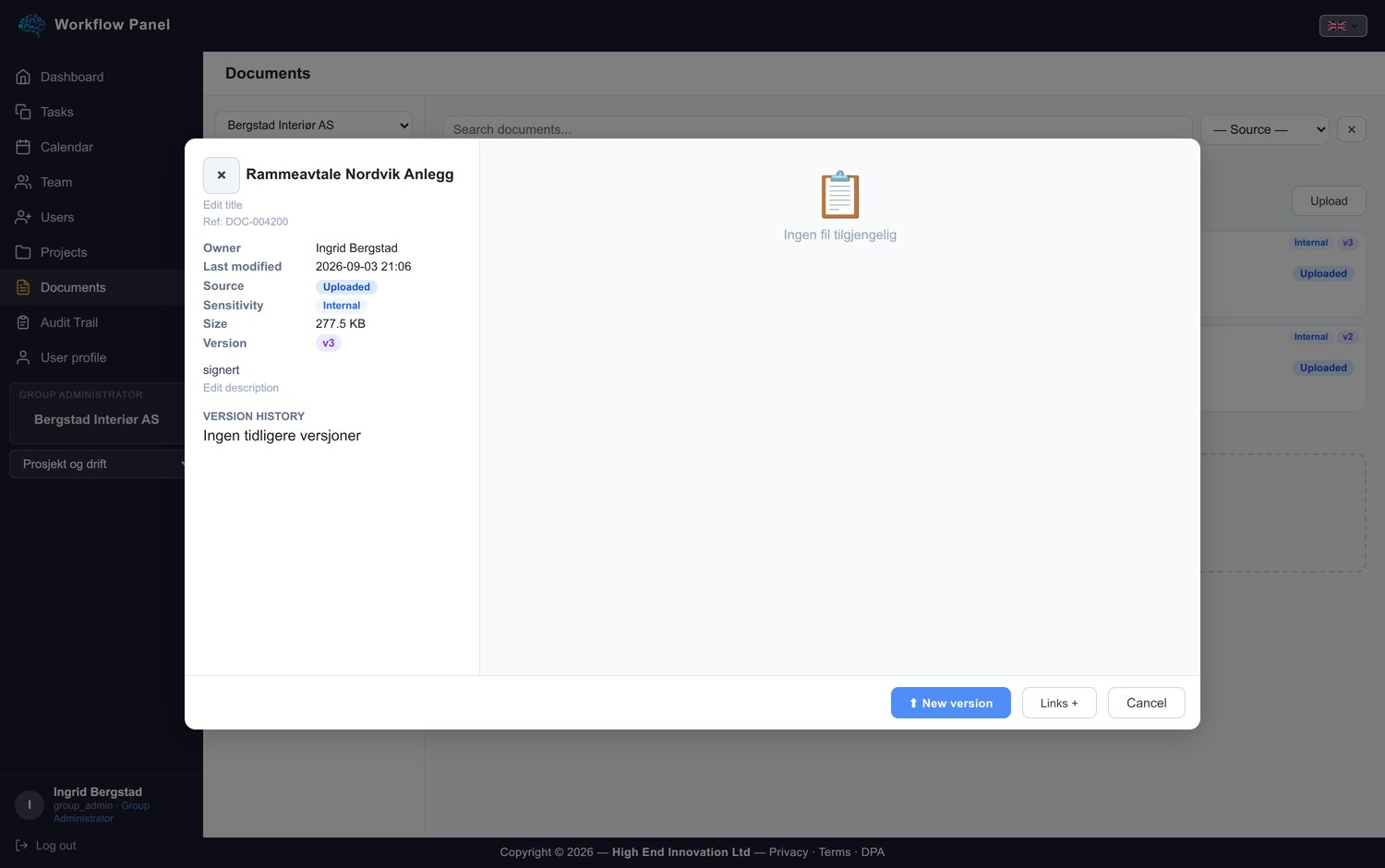
That spares everyone filenames like contract_final_v3_REVISED_new.docx. There is one document, and the history sits on it.
Conversion and PDF
Documents convert to PDF when they need to leave the building, and the PDF is cached so it is ready next time without running the conversion again.
Sending something to a customer therefore no longer requires opening a word processor, exporting, locating the file and attaching it.
Signing
Documents can be signed, both inside the panel and through DocuSeal for anything going out to external parties.
Signatures are stored on the document, and signing leaves an audit trail alongside the rest of the document history. Questions about who signed and when are answered in the system rather than in an email thread.
Sharing and sending
Documents are shared with colleagues or sent out. Sharing is deliberate, so access follows the people you name rather than anyone who gets hold of a link. Documents that go out are logged, so you know what was actually sent.
Where documents meet the rest of the work
This is the reason documents live in the platform rather than in a standalone cloud drive.
A document can be attached to a task, so the contract sits on the task about the contract rather than in a message about where the contract is stored.
In chat you can pin a reference to a document in the conversation. The reference is a pointer that grants no access by itself, and whoever clicks it gets in only if the access rules allow.
Your agents can also create and draft documents in folders they have access to. More on that in the article on agents.
What you end up with
Less searching, fewer versions in circulation, and an audit trail that holds up when somebody asks six months later. Small things individually, which together move an archive from a pile of files to something you can navigate.
Next: AI Video. Previously: newsletters.